
A CRM can hold contact information, purchasing history, negotiation notes, correspondence, support context, and in some businesses regulated personal information. It is therefore a business-critical data system, not merely an address book. A secure deployment combines vendor safeguards with customer-side configuration, employee practices, incident response, and realistic data minimization. This guide helps U.S. businesses assess CRM security and privacy questions during procurement and after launch. It also addresses healthcare-specific HIPAA considerations without implying that buying a particular cloud product automatically makes an organization compliant.
Know what your CRM actually stores
Begin with a data inventory: names, work emails, phone numbers, location, account relationships, transaction information, internal notes, attachments, and synchronized third-party records. Mark sensitive categories and clarify whether they are genuinely necessary for the stated business purpose. Sales teams may paste unexpected information into free-text notes; imported datasets may include outdated identifiers or documents. Review fields and attachments before giving a vendor or AI integration broad access.
A useful inventory identifies the business owner, collection source, purpose, retention period, permitted users, and systems receiving each data class. Keep customer support, payment, employee, and marketing information separated when their access needs differ. Collecting less unnecessary information reduces both exposure and operational burden. The FTC’s Start with Security guidance emphasizes thoughtful data collection, retention, and access rather than storing information indefinitely just because it might be useful someday.
Configure identity and access controls deliberately
Require multifactor authentication where supported, give administrators separate privileged accounts, and apply least-privilege roles. A marketing analyst may need aggregated campaign results without seeing private sales negotiations; a contractor may need access to one project but not all accounts. Test actual permission boundaries rather than trusting role names. Include exports, bulk actions, API credentials, custom reports, and connected applications in the access review.
Create a joiner-mover-leaver process. New staff get appropriate permissions, role changes are reviewed, and departing staff lose access promptly. Reassign their active opportunities and integrations before deactivation. Audit dormant accounts and shared credentials. A generic admin login used by several employees prevents meaningful accountability. Protect backup exports and integration tokens with the same seriousness as the live application.
Evaluate the vendor’s security posture with evidence
Ask about encryption in transit and at rest, recovery objectives, backup testing, incident notification, vulnerability handling, tenant isolation, audit logs, retention and deletion, and the ability to export data. Review independent assurance reports where available, including scope and period, rather than treating a compliance badge as a universal guarantee. Understand which functions are handled by the vendor, cloud subcontractors, implementation partners, or your own administrators.
NIST’s Cybersecurity Framework offers a voluntary way to structure governance, identification, protection, detection, response, and recovery. Turn these themes into procurement questions: who owns risk, what assets are included, how is misuse detected, who responds, and can customer information be restored? A vendor answer needs to match the service tier, region, and configuration the company will actually buy.
Secure integrations and automation accounts
CRM data often travels to email, marketing, service, accounting, analytics, and AI applications. Each integration can enlarge the exposure surface. Use narrowly scoped permissions, managed service identities, secret rotation, and logging. Record which fields move, why they move, and who owns the connection. Avoid sending full customer records to a tool that only needs an account ID and a status update. Check where errors and diagnostic logs store personal information.
Review connected apps after pilot projects end. An abandoned automation with a permanent API token can remain a risk even if no employee remembers it. Test revoked access, outbound suppression, and vendor-subprocessor changes. If a partner builds custom integration code, document responsibility for patches and credential changes. Treat data exported to spreadsheets as another copy subject to access, retention, and secure deletion policies.
Healthcare CRM: HIPAA requires more than a checkbox
A healthcare organization’s obligations depend on its role, activities, and the information involved. When a cloud service provider creates, receives, maintains, or transmits electronic protected health information on behalf of a HIPAA covered entity or business associate, HHS explains that the cloud provider is generally a business associate and a compliant business associate agreement (BAA) is required. This can apply even when the provider stores encrypted ePHI without holding the decryption key. Review the official HHS cloud guidance for the complete context.
A BAA is not a substitute for risk analysis, appropriate configuration, workforce training, minimum necessary access, and Security Rule safeguards. Verify exactly which CRM product editions and services the vendor agrees to cover. Do not assume a publicly available sales trial, third-party AI connector, or marketing add-on is covered by the same agreement. Seek qualified compliance and legal review before placing ePHI in the system.
Prepare for incidents and data recovery
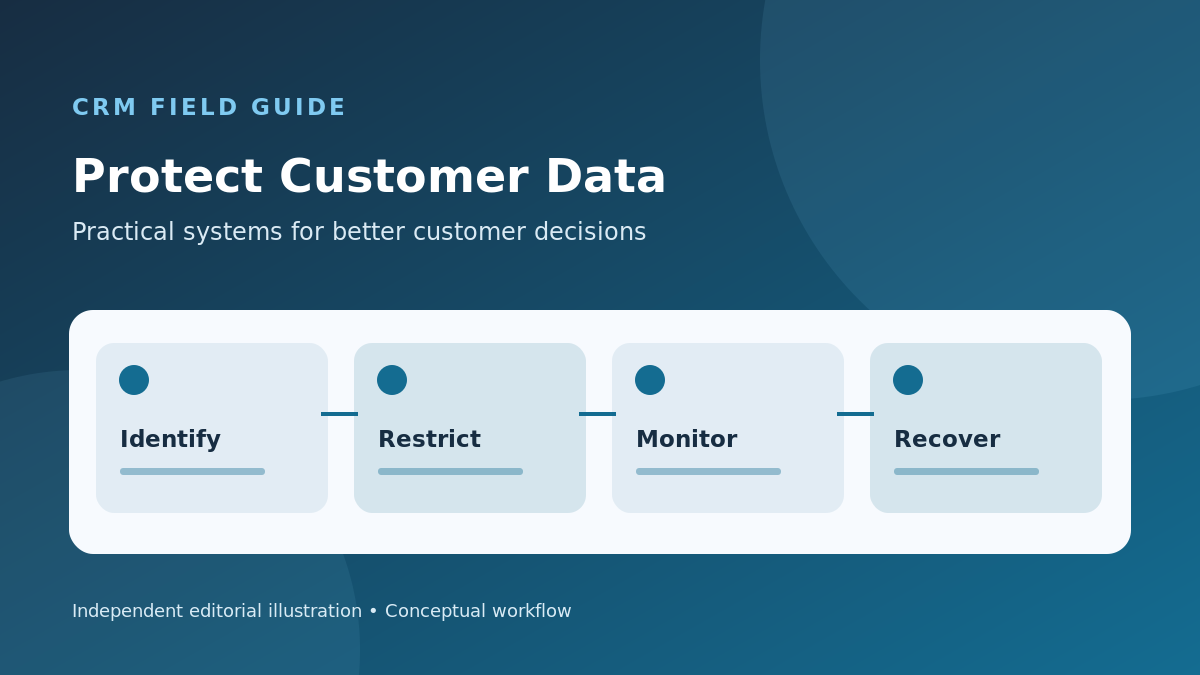
Define the reporting path for suspected account compromise, unusual bulk exports, unauthorized access, lost integration credentials, and accidental customer disclosure. Establish who can disable an account, revoke a token, preserve logs, communicate with vendors, and decide when to invoke legal or customer notification processes. Test the plan with a tabletop scenario, such as a sales administrator’s account being compromised during a busy reporting period.
Backups deserve independent attention: ask what is covered, whether deletion propagates into retained copies, and how long a customer-specific restoration could take. Schedule data export tests in a protected environment and verify usable relationships rather than merely file size. Keep recovery instructions and vendor contacts somewhere accessible during an outage. A retention plan should balance business, contractual, and applicable legal requirements; indefinite storage is not inherently safer.
A practical security acceptance exercise
Before launch, create a test user for each major role and check a list of allowed and forbidden actions. Can a representative view only assigned accounts if required? Can a manager export data? Can a former employee’s tokens still query records? Can a connected marketing tool read confidential notes it does not need? Capture the test outcomes, remediate unexpected visibility, and have the business owner accept the configuration. Repeat after major permission or integration changes.
For vendor assessment, ask for a concise shared-responsibility matrix: vendor controls, customer controls, subcontractor involvement, and unresolved assumptions. Document incident contacts, audit-log availability, export rights, contract exit, and support response commitments. Security is an ongoing operating practice, not a box checked by an IT team before sales begins using the CRM.
Governance for ordinary day-to-day use
Publish a short policy covering permitted customer notes, attachments, exports, personal-device access, account sharing, consent preferences, and use of AI assistants. Train employees with examples from their work. Explain how to request a role change and where to report suspicious activity without blame. Managers should review reports for operational value while respecting appropriate employee and customer privacy.
Schedule periodic access recertification and data-retention reviews. Monitor exceptions and provide an owner for each one. A mature CRM program can answer who has access, why the data is held, how it is protected, when it is removed, and how the business would continue after an incident. Those answers matter more than a long list of unchecked security features in a sales presentation.
Review the security of the administrative account first
A privileged CRM account can alter permissions, export records, install integrations, and change retention settings. Separate personal daily-use identities from privileged administration where the platform allows it. Require strong authentication, limit who can authorize new service tokens, and inspect audit events associated with bulk export or permission changes. Establish a break-glass access procedure that is logged and periodically tested rather than sharing an admin password through email or chat.
Ask implementation partners to use named accounts with explicit expiration dates. Review their access when the project ends and verify no unattended integration credentials remain. Security reviews should include connected browser extensions and third-party automation services if they can read or alter customer data. The largest exposure does not always come from the CRM vendor itself; it may come from an overly broad connection added during a hurried pilot.
Privacy questions to ask business owners
For every new field or integration, ask: What customer outcome does this support? Who needs it? Where else does it go? How long is it retained? Can the company correct or delete it when required? Who handles a customer’s request? Use those answers to narrow access and prevent unplanned secondary uses. Marketing lists, customer service records, and private sales notes have different purposes; combining them without review may undermine both trust and operational accuracy. Consult qualified privacy counsel for obligations applicable to your state, sector, and processing activities.
Frequently asked questions
Does a secure vendor make our CRM secure automatically?
No. Tenant configuration, employee access, integrations, data collection, and incident response remain important customer responsibilities. Review the division of responsibility in the actual contract and product documentation.
Is a BAA enough to use a CRM with healthcare data?
No. HHS guidance requires the relevant contractual arrangement where applicable, while covered entities and business associates must also meet their HIPAA obligations, including appropriate risk analysis and safeguards.
Who should be able to export all contacts?
Only roles with a demonstrated business requirement. Test bulk export permissions explicitly, monitor their use where supported, and protect downloaded files from becoming unmanaged copies of the customer database.
How frequently should permissions be checked?
Review whenever staff join, change roles, or leave, after major integrations or organizational changes, and on a documented recurring schedule suited to the sensitivity of the stored information.