
Buying a CRM is not simply choosing between a $20 and a $100 monthly plan. The real purchasing decision includes licenses, onboarding, integrations, data cleanup, support, adoption, and the cost of changing systems later. An inexpensive plan can become costly when essential reporting requires an upgrade; an enterprise platform can be wasteful when a five-person team needs only contact management and a disciplined sales pipeline. This guide builds a practical total-cost model for U.S. businesses evaluating customer relationship management software. It is a purchasing framework, not a claim that one vendor is universally best.

Start with a complete cost model, not a sticker price
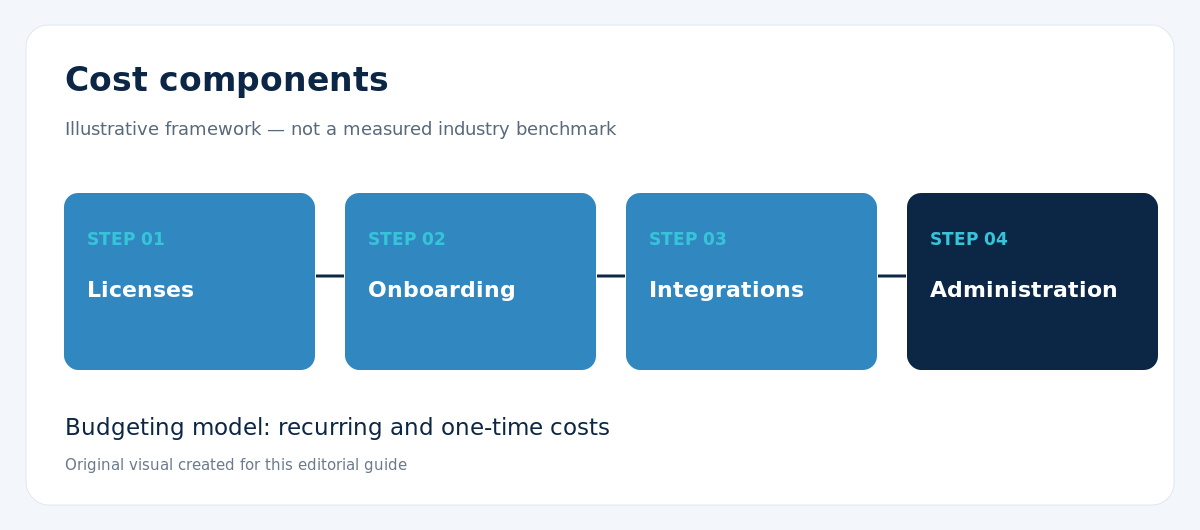
A useful CRM budget covers at least twelve months and preferably thirty-six. Separate recurring spending from one-time expenses. Recurring items include paid users, extra storage, usage credits, phone or email add-ons, premium support, connector subscriptions, and administration. One-time items include migration, workflow design, integration development, training, and validation. Many businesses also overlook the internal hours spent deciding what the CRM should do. Those hours are an economic cost even when no invoice arrives.
Ask a vendor to quote the exact configuration you intend to operate: number and type of seats, contract term, renewal rules, onboarding charges, feature limits, annual increases, and what happens when a user leaves. Ask whether read-only users, managers, contractors, and service agents have different license requirements. A price shown on a product page is a starting point, not a complete procurement commitment.
A transparent three-year example
Consider a hypothetical team with 12 paid seats at an assumed $65 per user per month. License cost is $780 monthly or $9,360 annually. Suppose migration and onboarding cost $4,000 in year one, integrations cost $1,800 initially, ongoing connector fees are $125 monthly, and the team budgets 10 internal administrative hours each month at an assumed loaded cost of $45 per hour. The first-year planning total becomes $9,360 + $4,000 + $1,800 + $1,500 + $5,400 = $22,060. In subsequent years, if seat counts and prices remain unchanged and one-time expenses do not recur, the annual total is $16,260. The illustrative three-year total is $54,580 before taxes or additional usage.
These are assumptions for a budgeting exercise, not vendor quotes or industry averages. Change the seat count, hours, and integration costs to reflect your business. A sensitivity test is valuable: model hiring four more users, moving up a tier, or paying for an additional reporting module. If the budget fails under a plausible growth scenario, the apparent bargain is fragile.
Compare capabilities at the correct subscription tier
A vendor may advertise workflow automation, custom reports, data permissions, forecasting, and AI assistance on the same marketing page, but individual features may live in different editions. Build a matrix with features down the rows and the actual quoted plans across the columns. Mark each feature as included, limited, add-on, or unavailable. Require a written answer for ambiguous terms such as “advanced automation” and “unlimited contacts.” Test storage, API calls, workflows, record ownership, and export privileges rather than relying on a feature badge.
For examples of how differently pricing can be structured, inspect the current official pages for HubSpot Sales Hub, Microsoft Dynamics 365 Sales, and Salesforce Sales Cloud. This guide intentionally avoids treating promotional prices as permanent: editions, discounts, bundled products, and onboarding requirements can change. Compare quotations received on the same date and in U.S. dollars.
Licensing questions that materially change the bill
Seat design often matters more than the headline rate. Determine whether a marketer who needs to inspect leads, a finance specialist who checks contract value, and a manager who only views dashboards each require full sales seats. Clarify whether suspended users continue to incur charges and whether reassignment is immediate. Annual commitments can lower the advertised monthly equivalent while increasing the cost of downsizing. Review seat minimums, billing increments, renewal notifications, cancellation windows, and limitations during a free trial.
Check what happens when usage grows. A larger customer database may affect storage, email marketing tiers, phone minutes, contact enrichment, or AI credits. Separate predictable license spending from consumption-based spending. Assign an owner who reviews add-on usage monthly, especially where an automation can create charges without a human clicking “buy.” For multi-division businesses, insist on a consolidated invoice example that shows the real seat mix.
Estimate value without inventing a revenue promise
Return on investment requires a credible baseline. Choose outcomes that the CRM can plausibly influence: time spent entering activity notes, percentage of leads contacted within your service target, duplicate record rate, opportunity aging, forecast error, and rep adoption. Capture those measures for several weeks before implementation. Record the intervention and compare like-for-like periods after launch. A company should not attribute all revenue growth to the CRM when staffing, demand, pricing, and territory changes also matter.
For a scenario, suppose eight representatives each recover 25 minutes on four working days per week after better automation. That is approximately 13.3 hours weekly across the group. Multiply by a documented loaded hourly labor cost to estimate the capacity created, then ask whether the time becomes additional customer conversations, better service, or merely less overtime. Capacity is not automatically cash savings. A cautious business case separates measurable efficiency, possible sales upside, and intangible benefits such as cleaner handoffs.
Procurement exercise: ask for evidence in a live demonstration
Give each finalist the same fictional customer journey: a web lead enters the CRM; sales qualifies it; a manager reassigns it; a proposal is generated; the deal closes; service receives a handoff; a duplicate contact is merged; a user requests an export. Watch the complete sequence in the tier you are actually considering. Time common tasks. Ask the vendor to show a mobile screen and the audit history, not only a polished dashboard. Request the exact role permissions you would deploy in production.
Score products with weighted criteria. One reasonable starting point is workflow fit 30%, usability 20%, integrations 15%, data control and security 15%, total cost 15%, and vendor support 5%; change the weights before demonstrations so a charismatic sales presentation cannot rewrite your decision afterward. Make any mandatory requirement, such as a needed integration or contractual security commitment, a pass/fail gate rather than an easily offset numerical score.
The hidden cost of migration and organizational change
Migrating contacts looks simple until records contain conflicting company names, broken email addresses, unclear ownership, duplicate deals, and attachments stored in another product. Budget a data inventory, cleaning rules, a sample migration, user-acceptance testing, cutover, and rollback. Account for email and calendar integration, domain authorization, and permissions. If your current CRM has useful historical activity, ask whether the new platform can preserve event dates and record relationships; a CSV import may not recreate everything.
Training must fit actual jobs. A sales representative needs a practical daily workflow; a manager needs pipeline governance and coaching; an administrator needs user provisioning, change control, and backup procedures. Adoption is a cost driver: unused software can be more expensive than a higher-priced platform adopted consistently. Set a named internal product owner and schedule post-launch office hours rather than treating go-live as the end of the project.
Decision worksheet for a realistic purchase
Before signing, record the business problem in one sentence, the current baseline, the minimum acceptable outcomes, and the largest budget the company can support for three years. List every role that needs access and label each as editor, manager, viewer, or system integration. Add each product’s mandatory features, actual quoted edition, contract duration, data-export method, uptime and support terms, and onboarding ownership. Ask how pricing changes if the team grows by 25% and what costs remain if the team shrinks by 25%.
Finally, conduct a reference call with a customer similar in complexity—not merely the same industry. Ask which capabilities were unexpectedly restricted, what required consulting help, and whether sales staff actually entered data six months later. If the vendor cannot explain total cost and exit options clearly, delay the signature. The lowest quote is not the lowest-cost successful implementation.
Contract and renewal scenarios worth modeling
Prepare three versions of your proposed contract. In the base case, assume your current seat count and the actual subscription quote. In a growth case, increase sales head count, contact volume, and usage by realistic amounts and price the next edition if features are gated. In a downside case, remove positions or pause a department and calculate which commitments you still owe. Show each case for the remainder of the first year and two renewal years. This exercise reveals whether an apparently low introductory quote is sustainable.
Ask how vendor price changes are communicated, whether renewal discounts expire, and how access works if you cancel. Confirm the export method, available formats, attachment handling, and any administrative fees. A business that can leave with its customer history intact has negotiating flexibility; a business trapped by proprietary workflows or opaque data formats may face substantial switching costs. Put these answers in the purchase approval memo, not only an email thread with the salesperson.
How to turn the budget into an operating review
After deployment, finance and the CRM owner should compare the planned bill with actual invoices quarterly. Reconcile paid seats to active employees, identify unused add-ons, inspect usage-based charges, and review whether promised functionality was implemented. Pair the spending discussion with operational evidence such as response-time improvement, adoption, and data quality. If expected benefits have not appeared, identify whether the cause is configuration, inadequate training, process design, or an unsuitable product before authorizing another expensive tier.
Frequently asked questions
Is a free CRM enough for a small business?
Sometimes. A free offering may handle contacts and a basic pipeline well. Examine user caps, exports, permissions, automation and reporting limitations, customer support, and whether the team’s growth path is affordable. A paid plan is justified only when an actual workflow needs it.
Should we pay monthly or annually?
Compare the annual discount against the cost of a premature commitment. Monthly billing can be a rational premium during a pilot. Annual terms may make sense after the sales process is stable and the product has demonstrated adoption and integration reliability.
Which number should finance track?
Track three-year total cost alongside adoption, process outcomes, and the assumptions behind the value case. Keep one-time implementation costs separate from recurring subscription and administrative costs, so changes are intelligible at renewal time.
Can a CRM guarantee higher sales?
No. It provides records, workflows, and measurement; leadership, market conditions, lead quality, and team execution drive the commercial outcome. Treat vendor outcome claims as hypotheses to test against your own baseline.